MFA Cho Developer: Vì Sao Cần, Hoạt Động Thế Nào, Implement Ra Sao
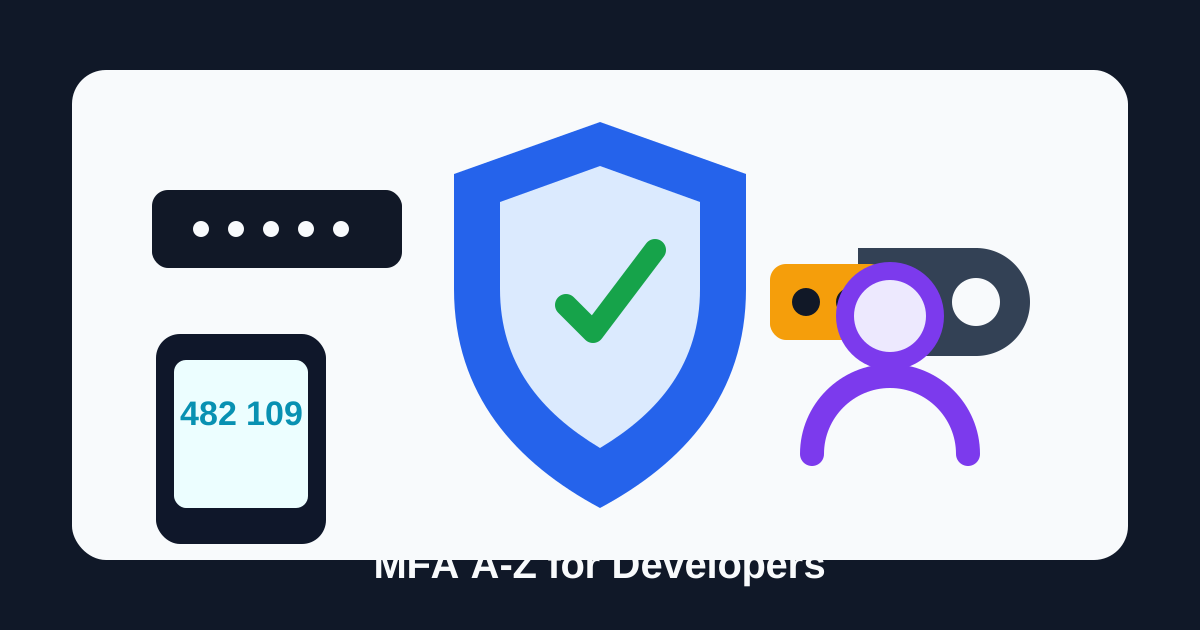
MFA thường bị hiểu thành một màn hình nhập thêm 6 số sau password. Với user, nó là một bước hơi phiền. Với developer, nó là một phần của hệ thống auth: login state, challenge, session, recovery, rate limit, audit log và policy cho tài khoản rủi ro cao.
Bài này không cố liệt kê mọi chuẩn bảo mật. Mục tiêu là giúp developer hiểu:
- User thực tế gặp case nào cần MFA.
- MFA chặn được rủi ro gì, không chặn được gì.
- Luồng hoạt động phía sau login/enrollment/verify.
- Implement TOTP và WebAuthn/passkey thế nào cho đúng hướng.
- Recovery, session và support flow cần thiết kế ra sao để không tạo cửa sau.
TL;DR: MFA không phải “thêm một input OTP”. MFA là yêu cầu user chứng minh thêm một yếu tố độc lập trước khi hệ thống cấp full session hoặc cho làm hành động nhạy cảm. Làm đúng thì password leak chưa đủ để chiếm tài khoản. Làm nửa vời thì attacker sẽ đi qua recovery, phishing, session hijack hoặc support flow.
1. Vì sao cần MFA?
Password là secret tĩnh. Nó có thể bị leak, reuse, phish, brute-force, credential-stuffing, lưu nhầm trong log, hoặc bị malware lấy khỏi máy user. Khi chỉ có password, attacker chỉ cần một mảnh thông tin là đủ đi vào tài khoản.
MFA giảm rủi ro bằng cách bắt attacker cần thêm một bằng chứng khác:
| Factor | User chứng minh điều gì? | Ví dụ |
|---|---|---|
| Knowledge | Biết một thứ | Password, PIN |
| Possession | Đang giữ một thứ | Authenticator app, passkey, security key |
| Inherence | Là chính người đó | Face ID, Touch ID, fingerprint |
Với app bình thường, MFA đáng giá nhất ở các điểm này:
- Login từ device/IP/location lạ.
- Tài khoản admin, owner, billing, finance, support, production access.
- Tạo hoặc xem API key.
- Export dữ liệu nhạy cảm.
- Đổi email, đổi password, đổi phone number.
- Tắt MFA hoặc thêm/xóa factor.
- Recovery tài khoản khi mất thiết bị.
MFA không làm app “bất tử”. Nó chỉ tăng chi phí tấn công. Nếu recovery flow yếu, session cookie bị lấy, hoặc support tắt MFA quá dễ, attacker vẫn có đường vào.
2. User thực tế gặp case nào?
Case 1: User bị lộ password do reuse
User dùng cùng password ở nhiều website. Một website khác bị breach, attacker lấy combo email/password rồi thử đăng nhập vào app của mình.
Nếu app không có MFA:
email + password đúng -> full session -> account takeover
Nếu app có MFA:
email + password đúng -> pending MFA -> attacker thiếu factor -> login bị chặn
Điểm dev cần nhớ: sau khi password đúng, đừng cấp full session ngay. Chỉ cấp trạng thái tạm như pending_mfa.
Case 2: Admin bị phishing OTP
User vào trang giả, nhập password và TOTP 6 số. Attacker relay ngay mã đó sang trang thật trong vòng 30 giây.
TOTP giúp chặn credential stuffing, nhưng không chống phishing mạnh ở protocol level vì OTP không biết nó đang được nhập vào domain nào. Với admin/high-risk account, nên ưu tiên WebAuthn/passkey hoặc hardware key.
Case 3: User mất điện thoại
User bật TOTP nhưng mất phone. Nếu không có backup code hoặc factor dự phòng, user bị khóa khỏi tài khoản. Nếu support reset quá dễ, attacker có thể giả làm user để tắt MFA.
Điểm dev cần nhớ: trước khi ép MFA, phải có recovery flow. Recovery cũng là security feature, không phải phần phụ.
Case 4: Attacker có session cookie
Nếu attacker lấy được session cookie sau khi user đã login, họ có thể bypass MFA vì không cần login nữa.
Điểm dev cần nhớ: MFA phải đi cùng session hygiene:
- Cookie
HttpOnly,Secure,SameSite. - Rotate session sau MFA thành công.
- Re-auth cho action nhạy cảm.
- Revoke session khi reset password/MFA.
- Có danh sách device/session cho user kiểm tra.
3. MFA hoạt động thế nào?
Một login flow đúng thường có 2 phase:
- Primary auth: verify password hoặc identity provider.
- Step-up/MFA: verify factor thứ hai trước khi cấp quyền đầy đủ.
Login flow nên đọc theo state, không đọc như một hình minh họa phức tạp:
| Bước | Trạng thái | Backend cần làm |
|---|---|---|
| 1 | User gửi email/password | Verify password hoặc IdP token |
| 2 | Password đúng, user không cần MFA | Tạo full session |
| 3 | Password đúng, user cần MFA | Tạo challenge ngắn hạn và trả pending_mfa |
| 4 | User gửi TOTP/passkey/backup code | Verify challenge + factor |
| 5 | MFA đúng | Rotate session và cấp full session |
| 6 | MFA sai hoặc hết hạn | Tăng attempt, rate limit, không cấp session |
Điểm quan trọng nhất: sau bước 3, pending_mfa chỉ được phép gọi API verify MFA. Nó không được xem data, tạo API key, đổi password, export dữ liệu hay làm bất kỳ action nhạy cảm nào.
Các nguyên tắc quan trọng:
pending_mfakhông được gọi API nhạy cảm.- Challenge có expiry ngắn, ví dụ 5 phút.
- Challenge dùng một lần.
- Verify sai phải rate limit.
- Verify đúng thì rotate session id.
- Không log OTP, TOTP secret, backup code hoặc WebAuthn challenge raw.
4. Data model tối thiểu
Đừng nhét mọi thứ vào users.mfa_enabled. Nó sẽ nhanh chóng thiếu chỗ khi user có nhiều factor, đổi thiết bị, dùng backup code, hoặc cần audit.
Một model thực dụng:
users
  id
  email
  password_hash
  mfa_required_at
  created_at

mfa_factors
  id
  user_id
  type: totp | webauthn | backup_code | sms | email
  name
  status: pending | active | disabled
  secret_encrypted
  credential_id
  public_key
  sign_count
  transports
  created_at
  confirmed_at
  last_used_at

mfa_challenges
  id
  user_id
  factor_type
  status: pending | passed | failed | expired
  purpose: login | step_up | recovery
  expires_at
  attempt_count
  created_at

backup_codes
  id
  user_id
  code_hash
  used_at
  created_at

security_events
  id
  user_id
  event_type
  ip
  user_agent
  metadata_json
  created_at
Nếu muốn đơn giản hơn, vẫn nên giữ ít nhất mfa_factors, mfa_challenges, backup_codes, security_events.
5. Implement TOTP
TOTP là lựa chọn phổ biến vì rẻ, offline, dễ dùng với Google Authenticator, Microsoft Authenticator, 1Password, Bitwarden, Authy…
Cơ chế:
shared secret + current time window -> 6 digit code
Server và authenticator app cùng biết shared secret. Cứ mỗi 30 giây, cả hai tính ra mã giống nhau. Khi user nhập mã, server verify trên time window hiện tại, thường cho lệch ±1 step để chịu được clock drift.
TOTP verify:

1. Server và authenticator app cùng giữ shared secret.
2. Cả hai lấy mốc thời gian hiện tại, thường là block 30 giây.
3. App tính ra mã 6 số và user nhập mã đó.
4. Server tự tính lại mã từ secret + time window.
5. Nếu mã khớp trong window cho phép, challenge được pass.
Enrollment flow
1. User chọn Enable MFA.
2. Server generate random TOTP secret.
3. Server lưu secret ở trạng thái pending, đã encrypt.
4. Server trả otpauth:// URL hoặc QR code.
5. User scan QR bằng authenticator app.
6. User nhập mã đầu tiên.
7. Server verify đúng thì chuyển factor sang active.
8. Server cấp backup codes và ghi audit log.
Điểm dễ sai: đừng set mfa_enabled = true ngay sau khi hiện QR. Chỉ active sau khi user nhập đúng mã đầu tiên.
Node.js example
npm install otpauth qrcode
import { TOTP, Secret } from "otpauth";
import QRCode from "qrcode";

const issuer = "Jerry Notes";

export async function startTotpEnrollment(user) {
  const secret = new Secret({ size: 20 });

  const totp = new TOTP({
    issuer,
    label: user.email,
    algorithm: "SHA1",
    digits: 6,
    period: 30,
    secret,
  });

  await db.mfaFactors.insert({
    userId: user.id,
    type: "totp",
    status: "pending",
    secretEncrypted: await encrypt(secret.base32),
    createdAt: new Date(),
  });

  return {
    otpauthUrl: totp.toString(),
    qrDataUrl: await QRCode.toDataURL(totp.toString()),
  };
}

export async function confirmTotpEnrollment(userId, submittedCode) {
  await rateLimit.assertAllowed(`totp-confirm:${userId}`);

  const factor = await db.mfaFactors.findPendingTotp(userId);
  if (!factor) throw new Error("TOTP enrollment not found");

  const secretBase32 = await decrypt(factor.secretEncrypted);
  const totp = new TOTP({
    issuer,
    label: factor.userEmail,
    secret: Secret.fromBase32(secretBase32),
  });

  const delta = totp.validate({ token: submittedCode, window: 1 });
  if (delta === null) {
    await rateLimit.bump(`totp-confirm:${userId}`);
    throw new Error("Invalid code");
  }

  await db.mfaFactors.activate(factor.id);
  await db.backupCodes.replaceForUser(userId, generateBackupCodeHashes());
  await audit.log(userId, "mfa.totp.enabled");
}
Login verify flow
export async function verifyTotpLogin(userId, challengeId, submittedCode) {
  await rateLimit.assertAllowed(`totp-login:${userId}`);

  const challenge = await db.mfaChallenges.findPending(challengeId, userId);
  if (!challenge || challenge.expiresAt < new Date()) {
    throw new Error("Challenge expired");
  }

  const factor = await db.mfaFactors.findActiveTotp(userId);
  if (!factor) throw new Error("TOTP factor not found");

  const secretBase32 = await decrypt(factor.secretEncrypted);
  const totp = new TOTP({
    issuer,
    label: factor.userEmail,
    secret: Secret.fromBase32(secretBase32),
  });

  const delta = totp.validate({ token: submittedCode, window: 1 });
  if (delta === null) {
    await db.mfaChallenges.incrementAttempts(challenge.id);
    await rateLimit.bump(`totp-login:${userId}`);
    throw new Error("Invalid code");
  }

  await db.mfaChallenges.markPassed(challenge.id);
  await db.mfaFactors.markUsed(factor.id);
  await session.rotateAfterMfa(userId);
  await audit.log(userId, "mfa.totp.verified");
}
TOTP checklist:
- Secret sinh bằng CSPRNG.
- Secret lưu encrypted, không plaintext.
- QR chỉ hiện trong enrollment.
- Factor pending phải được confirm trước khi active.
- Verify có rate limit và challenge expiry.
- OTP không được log.
- Cho user có backup code trước khi bắt buộc MFA.
6. Implement WebAuthn/passkey
WebAuthn/passkey khác TOTP ở điểm cốt lõi: server không lưu shared secret. Server lưu public key. Private key nằm trong authenticator, ví dụ device, password manager, platform authenticator hoặc security key.
Cơ chế:
server challenge -> authenticator ký bằng private key -> server verify bằng public key
Điều làm WebAuthn chống phishing tốt hơn TOTP là credential bị ràng buộc với RP ID/origin. Credential tạo cho example.com không dùng được cho domain giả như examp1e.com.
Registration flow
Registration:

1. Browser gọi server để lấy registration options.
2. Server tạo challenge, rpID, user handle và lưu challenge ngắn hạn.
3. Browser gọi navigator.credentials.create().
4. Authenticator tạo key pair, giữ private key, trả attestation.
5. Browser gửi attestation về server.
6. Server verify challenge/origin/rpID rồi lưu public key.
Authentication flow
Authentication:

1. Browser gọi server để lấy authentication options.
2. Server tạo challenge mới và danh sách credential được phép dùng.
3. Browser gọi navigator.credentials.get().
4. Authenticator yêu cầu user presence/verification rồi ký challenge.
5. Browser gửi signed assertion về server.
6. Server verify signature/origin/rpID/counter rồi rotate session.
Node.js example with SimpleWebAuthn
npm install @simplewebauthn/server
import {
  generateRegistrationOptions,
  verifyRegistrationResponse,
  generateAuthenticationOptions,
  verifyAuthenticationResponse,
} from "@simplewebauthn/server";

const rpName = "Jerry Notes";
const rpID = "thangvd2312.github.io";
const origin = "https://thangvd2312.github.io";

export async function createPasskeyRegistrationOptions(user) {
  const credentials = await db.webauthnCredentials.findByUserId(user.id);

  const options = await generateRegistrationOptions({
    rpName,
    rpID,
    userID: user.id,
    userName: user.email,
    attestationType: "none",
    excludeCredentials: credentials.map((credential) => ({
      id: credential.credentialID,
      type: "public-key",
      transports: credential.transports,
    })),
    authenticatorSelection: {
      residentKey: "preferred",
      userVerification: "preferred",
    },
  });

  await db.webAuthnChallenges.save({
    userId: user.id,
    challenge: options.challenge,
    type: "registration",
    expiresAt: new Date(Date.now() + 5 * 60 * 1000),
  });

  return options;
}

export async function verifyPasskeyRegistration(user, body) {
  const expectedChallenge = await db.webAuthnChallenges.consume(
    user.id,
    "registration",
  );

  const verification = await verifyRegistrationResponse({
    response: body,
    expectedChallenge,
    expectedOrigin: origin,
    expectedRPID: rpID,
    requireUserVerification: false,
  });

  if (!verification.verified || !verification.registrationInfo) {
    throw new Error("Invalid passkey registration");
  }

  const { credential, credentialDeviceType, credentialBackedUp } =
    verification.registrationInfo;

  await db.webauthnCredentials.insert({
    userId: user.id,
    credentialID: credential.id,
    publicKey: credential.publicKey,
    counter: credential.counter,
    transports: body.response?.transports ?? [],
    deviceType: credentialDeviceType,
    backedUp: credentialBackedUp,
    createdAt: new Date(),
  });

  await audit.log(user.id, "mfa.passkey.registered");
}
export async function createPasskeyAuthenticationOptions(user) {
  const credentials = await db.webauthnCredentials.findByUserId(user.id);

  const options = await generateAuthenticationOptions({
    rpID,
    allowCredentials: credentials.map((credential) => ({
      id: credential.credentialID,
      type: "public-key",
      transports: credential.transports,
    })),
    userVerification: "preferred",
  });

  await db.webAuthnChallenges.save({
    userId: user.id,
    challenge: options.challenge,
    type: "authentication",
    expiresAt: new Date(Date.now() + 5 * 60 * 1000),
  });

  return options;
}

export async function verifyPasskeyAuthentication(user, body) {
  const expectedChallenge = await db.webAuthnChallenges.consume(
    user.id,
    "authentication",
  );

  const credential = await db.webauthnCredentials.findByCredentialId(body.id);
  if (!credential || credential.userId !== user.id) {
    throw new Error("Credential not found");
  }

  const verification = await verifyAuthenticationResponse({
    response: body,
    expectedChallenge,
    expectedOrigin: origin,
    expectedRPID: rpID,
    credential: {
      id: credential.credentialID,
      publicKey: credential.publicKey,
      counter: credential.counter,
      transports: credential.transports,
    },
    requireUserVerification: false,
  });

  if (!verification.verified) {
    throw new Error("Invalid passkey assertion");
  }

  await db.webauthnCredentials.updateCounter(
    credential.id,
    verification.authenticationInfo.newCounter,
  );
  await db.webauthnCredentials.markUsed(credential.id);
  await session.rotateAfterMfa(user.id);
  await audit.log(user.id, "mfa.passkey.verified");
}
WebAuthn checklist:
- Challenge lưu server-side, single-use, có expiry.
- Verify đúng
expectedOrigin. - Verify đúng
expectedRPID. - Credential ID phải thuộc user đang login.
- Lưu public key, counter, transports, device type, backup state.
- Cho user đăng ký nhiều passkey/security key.
- Recovery flow phải rõ vì user có thể mất thiết bị.
7. Recovery và backup code
Recovery là nơi MFA hay chết. Nếu login cần passkey nhưng support có thể tắt MFA chỉ bằng một email, attacker sẽ đi support flow.
Backup code nên được cấp ngay sau khi bật MFA:
1. Generate 8-12 code random, đủ entropy.
2. Hiển thị plaintext đúng một lần.
3. Khuyến khích user lưu vào password manager.
4. Server chỉ lưu hash.
5. Mỗi code dùng một lần.
6. Regenerate thì revoke toàn bộ code cũ.
Verify backup code:
export async function verifyBackupCode(userId, submittedCode) {
  await rateLimit.assertAllowed(`backup-code:${userId}`);

  const code = normalizeBackupCode(submittedCode);
  const candidates = await db.backupCodes.findUnusedByUserId(userId);
  const matched = await findMatchingHash(candidates, code);

  if (!matched) {
    await rateLimit.bump(`backup-code:${userId}`);
    throw new Error("Invalid backup code");
  }

  await db.backupCodes.markUsed(matched.id);
  await session.rotateAfterMfa(userId);
  await audit.log(userId, "mfa.backup_code.used");
  await notify.security(userId, "A backup code was used");
}
Support reset policy nên theo risk:
| Account | Reset MFA qua support? | Nên yêu cầu |
|---|---|---|
| User thường | Có kiểm soát | Email verified, billing hint, delay, notify |
| Business owner | Hạn chế | Approval từ owner khác, audit log |
| Internal admin/SRE | Rất hạn chế | Manager approval, security review |
| Break-glass | Theo runbook riêng | Dual control, offline secret, post-review |
Khi reset hoặc remove factor:
- Revoke session hiện tại và session cũ.
- Revoke refresh token.
- Notify user qua email/in-app.
- Ghi audit log.
- Cooldown trước khi đổi email/phone/password tiếp.
8. Rate limit, session và audit
MFA verify cần rate limit, nhưng lock account quá tay có thể tạo DoS. Attacker có thể nhập sai OTP nhiều lần để khóa user thật.
Gợi ý:
- Rate limit theo
user_id + factor_type. - Rate limit theo IP/device fingerprint.
- Expire challenge sau 5 phút.
- Sau nhiều lần sai, khóa challenge thay vì khóa account ngay.
- Với account quyền cao, gửi alert cho security/admin.
Session rules:
password ok           -> pending_mfa token
mfa ok                -> full session mới
password changed      -> revoke old sessions
mfa reset             -> revoke old sessions
high-risk action      -> require recent MFA
Audit event nên có:
mfa.totp.enabledmfa.passkey.registeredmfa.factor.removedmfa.challenge.failedmfa.backup_code.usedmfa.reset.requestedmfa.reset.completed
Không audit secret raw. Audit metadata đủ điều tra: user, event, time, IP, user agent, factor type, challenge id, result.
9. Chọn phương án nào?
Nếu xây app mới và muốn thực dụng:
| Nhu cầu | Khuyến nghị |
|---|---|
| User phổ thông | TOTP + backup code |
| Admin/billing/owner | WebAuthn/passkey hoặc security key |
| Internal production access | Security key, ít nhất 2 factor active |
| Low-risk step-up | Email OTP có expiry ngắn |
| Fallback đại chúng | SMS có policy, không dùng cho quyền cao |
Roadmap hợp lý:
- Làm TOTP đúng: pending enrollment, encrypted secret, rate limit, backup code.
- Thêm WebAuthn/passkey cho account quan trọng.
- Bắt buộc MFA cho admin, billing, API key owner.
- Thêm step-up auth cho action nhạy cảm.
- Làm recovery và audit tử tế trước khi ép toàn bộ user.
10. Checklist implement
Product:
- Biết account nào bắt buộc MFA.
- Có UX enrollment rõ ràng.
- Có backup code hoặc factor dự phòng.
- Có thông báo khi bật/tắt/thêm/xóa factor.
- Có recovery policy theo risk.
Backend:
- Password đúng chưa cấp full session nếu user cần MFA.
- Challenge có expiry, single-use.
- Verify sai có rate limit.
- Verify đúng thì rotate session.
- Reset MFA thì revoke sessions/tokens.
TOTP:
- Secret sinh bằng CSPRNG.
- Secret lưu encrypted.
- Factor chỉ active sau khi confirm mã đầu tiên.
- Window nhỏ, thường
±1step. - Không log OTP hoặc secret.
WebAuthn:
- Verify challenge, origin, RP ID.
- Credential thuộc đúng user.
- Lưu public key, counter, transports.
- Hỗ trợ nhiều credential.
- Có recovery/backup credential.
Operations:
- Audit log đầy đủ event bảo mật.
- Alert cho high-risk event.
- Support không xem được secret.
- Có cooldown cho reset/change factor.
- Có runbook cho account bị takeover.
Chốt lại
MFA tốt không nằm ở việc có thêm màn hình nhập mã. Nó nằm ở cách hệ thống xử lý trạng thái trước và sau MFA:
- Password đúng chỉ tạo
pending_mfa, chưa phải full session. - Factor phải độc lập và được verify bằng challenge ngắn hạn.
- TOTP cần secret encrypted và enrollment confirm.
- WebAuthn/passkey mạnh hơn trước phishing vì verify origin/RP ID.
- Recovery phải được bảo vệ như login.
- Session, rate limit và audit quyết định hệ thống có vận hành an toàn không.
Nếu phải chọn nhanh: dùng TOTP + backup code cho baseline, WebAuthn/passkey cho admin và tài khoản rủi ro cao, SMS/email chỉ làm fallback có policy.
References
- OWASP Multifactor Authentication Cheat Sheet: https://cheatsheetseries.owasp.org/cheatsheets/Multifactor_Authentication_Cheat_Sheet.html
- OWASP Authentication Cheat Sheet: https://cheatsheetseries.owasp.org/cheatsheets/Authentication_Cheat_Sheet.html
- NIST SP 800-63B Digital Identity Guidelines: https://pages.nist.gov/800-63-4/sp800-63b.html
- W3C Web Authentication: https://www.w3.org/TR/webauthn-3/
- FIDO Alliance Passkeys: https://fidoalliance.org/passkeys/
- SimpleWebAuthn docs: https://simplewebauthn.dev/